Language Server Protocol
Overview
The JMLtk Language Server Protocol (LSP) implementation provides IDE support for Java and KeY language files. To use the LSP, you need to download the current release of JMLtk and configure your editor to use the jmltk-lsp script.
Installation
- Download the latest release of JMLtk from the releases page
- Extract the archive to your preferred location
- The
jmltk-lspscript will be available in thebindirectory of the installation
Replace
/path/to/jmltk with the actual path to your JMLtk installation.Configuration
The following configuration were tested:
Emacs (eglot)
Add the following configuration to your Emacs init file to enable LSP support for Java:
(setq eglot-server-programs nil)
(add-to-list 'eglot-server-programs
             '(java-mode  "/path/to/jmltk/bin/jmltk-lsp" "--stdio"))
KeY files are unknown to Emacs, also as JML files.
For KeY files you can just derive a new mode from prog-mode:
(define-derived-mode key-mode prog-mode "KEY"
  "Major mode for editing KEY"
  :syntax-table java-mode-syntax-table
  (setq-local comment-start "//")
  (setq-local comment-end "")
  (setq-local indent-tabs-mode nil))

(add-to-list 'eglot-server-programs
             '(key-mode  "/path/to/jmltk/bin/jmltk-lsp" "--stdio"))
For JML files, just add jml to the auto-mode-alist:
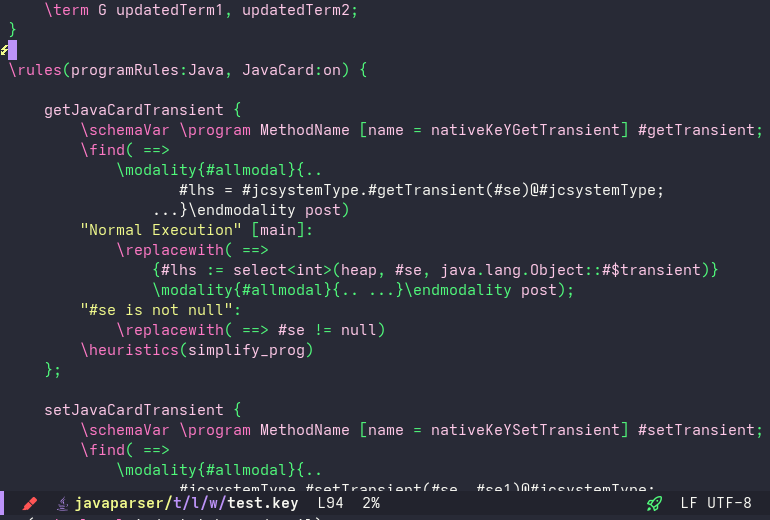
(add-to-list 'auto-mode-alist '("\\.jml\\'" . java-mode))JML highlighting in emacs KeY highlighting in emacs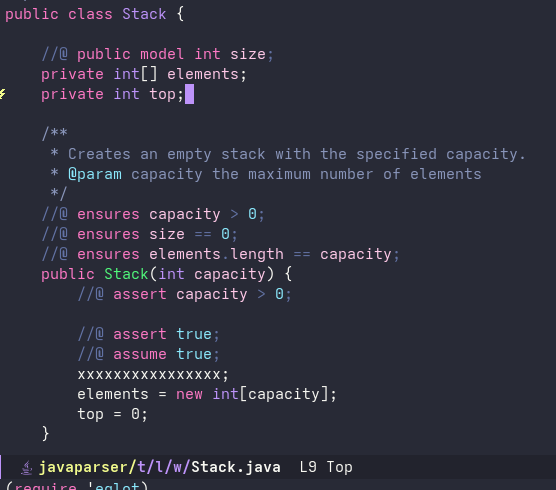
Neovim (nvim-lspconfig)
Add the following configuration to your Neovim init.lua to enable LSP support:
local lspconfig = require('lspconfig')

-- Define a custom configuration for jmltk-lsp
local configs = require('lspconfig.configs')
if not configs.jmltk_lsp then
  configs.jmltk_lsp = {
    default_config = {
      cmd = { '/path/to/jmltk/bin/jmltk-lsp', '--stdio' },
      filetypes = { 'java', 'key' },
      root_dir = lspconfig.util.root_pattern('.git'),
      settings = {},
    }
  }
end

-- Attach to Java files
lspconfig.jmltk_lsp.setup {
  on_attach = function(client, bufnr)
    -- Your on_attach configuration here
  end,
  capabilities = require('cmp_nvim_lsp').default_capabilities(),
}
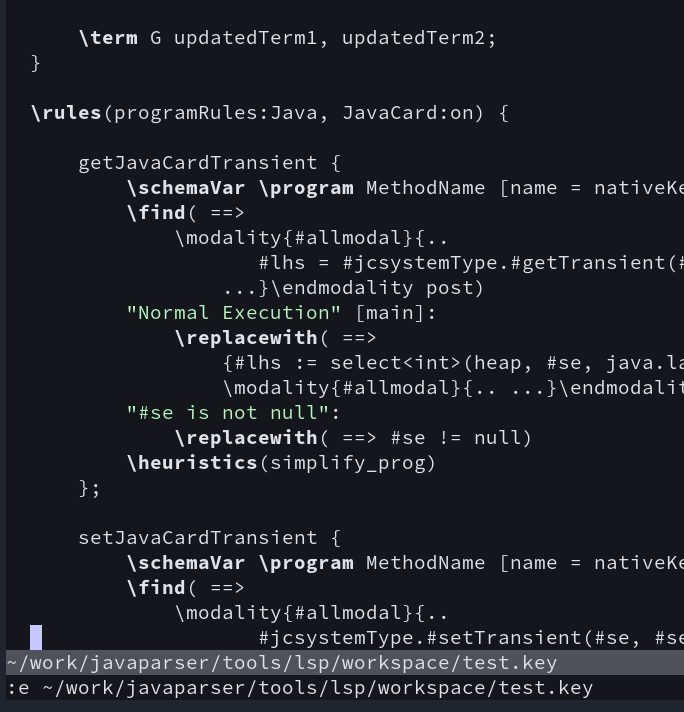
JML highlighting in neovim KeY highlighting in neovim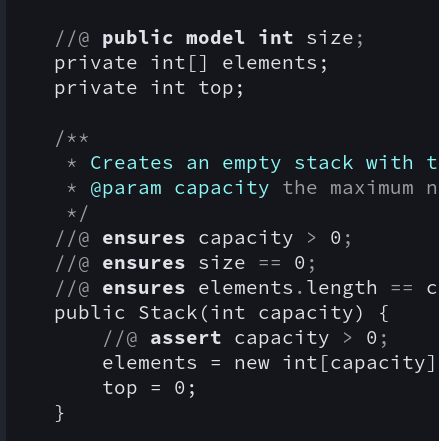
Visual Studio code
Requires a written plugin….